SyncFrame VST
A video sync plugin for your DAW.
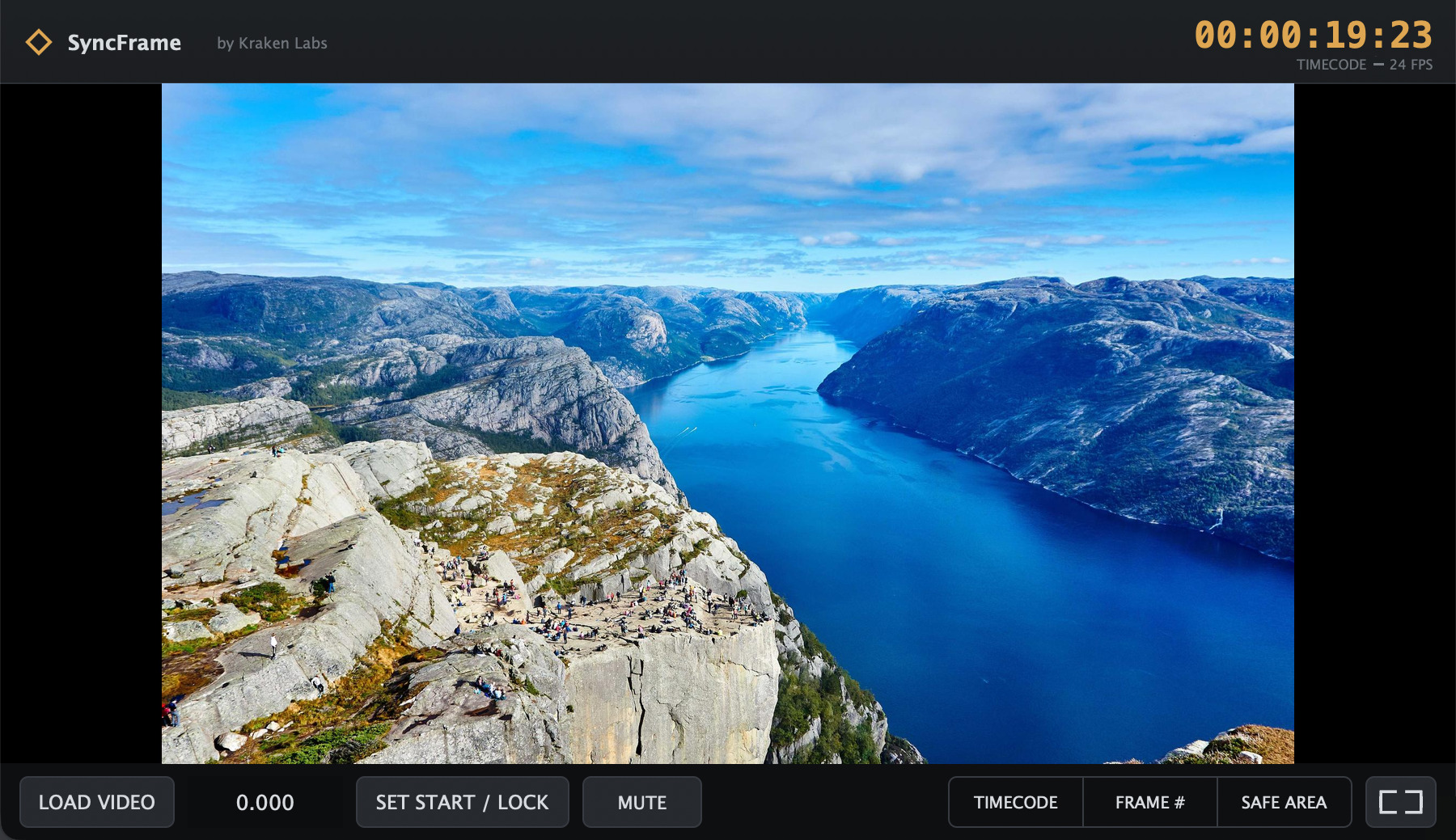
SyncFrame plays imported video in perfect sync with your DAW transport, for scoring to picture. Sync video to Ableton, Reaper, Bitwig, FL Studio, Reason, and more, with native, hardware-accelerated playback and frame-accurate timeline locking, so the picture always sits exactly where the music needs it.
Compatibility
Score to picture in the DAWs that don't do video.
Ableton Live, Bitwig, FL Studio, and Reason have no built-in way to play video in sync with the transport. SyncFrame is the video sync plugin that adds a frame-accurate video monitor following the playhead, so you can compose to picture without leaving your session. Prefer a DAW with native video? SyncFrame also runs alongside it in Reaper, Logic, Cubase, Studio One, and any other VST3 or AU host, for the same frame-accurate monitor and overlays.
- Ableton Live
- Bitwig
- FL Studio
- Reason
- Reaper
- Logic
- Cubase
- Studio One
Features
- Transport sync & timeline lockVideo follows the playhead; lock the start to any point on the timeline, and the monitor stays black before it.
- Native, hardware-accelerated playbackH.264, HEVC, and ProRes played as the original file, with no transcode.
- Detachable monitorPop the video into its own window or send it fullscreen to a second display.
- Embedded-audio passthroughRoute the video's own audio through the plugin bus into your mix, with a mute toggle.
- Timecode & frame overlaysBurn in a running timecode and a frame counter over the picture.
- Resizable, frame-accurateScrub, locate, and play with the picture tracking the transport tightly.
Pricing
Free to try. $25 to keep.
The demo is fully functional with a watermark over the video. A one-time $25 lifetime license removes it. No subscription. Use your key on any machine you work on.
Lost your key? Have it re-sent to your email.
FAQ
Which DAWs does SyncFrame work in?
Any VST3 or AU host: Ableton Live, Bitwig Studio, FL Studio, Reason, Logic Pro, Cubase, Studio One, Reaper, and more. It is most useful in the DAWs that have no built-in video track, such as Ableton, Bitwig, FL Studio, and Reason.
Does SyncFrame work in Ableton Live?
Yes. Ableton Live has no built-in way to play video in sync with the transport, so SyncFrame adds a frame-accurate video monitor locked to the playhead. The same applies to Bitwig, FL Studio, and Reason.
Does SyncFrame work in Reaper?
Yes. Load SyncFrame as a VST3 plugin in Reaper and it follows the transport just like it does in any other host, with the same frame-accurate lock, timecode overlay, and detachable monitor window.
Can I sync video to Ableton Live?
Yes. Drop SyncFrame on a track in Ableton Live, load your video, and it plays back locked to the transport, giving Live the frame-accurate video monitor it does not have natively.
Does SyncFrame work with Logic Pro, Cubase, and Studio One?
Yes. Logic, Cubase, and Studio One all have their own native video tracks, but SyncFrame still works well in them as a VST3/AU plugin, for example when you want a detachable, resizable monitor with burned-in timecode and frame overlays alongside your existing video track.
What video formats are supported?
H.264, HEVC, and ProRes, in .mov, .mp4, and .m4v files. Video is played natively and hardware-accelerated, with no transcoding.
Is there a free trial?
Yes. The free demo is fully functional and plays a large "SyncFrame DEMO" watermark over the video. A $25 lifetime license removes the watermark. Try it before you buy so you know it works in your setup.
How much does SyncFrame cost?
A lifetime license is a one-time $25. There is no subscription. Maintenance updates within the major version are included.
Windows or macOS?
macOS 11 (Big Sur) or later, on both Apple Silicon and Intel (a single universal build). A Windows build is on the way.
How is SyncFrame different from Video Slave?
Video Slave is a separate standalone app that chases timecode. SyncFrame runs as a plugin directly inside your DAW, following the transport with no timecode setup, and costs less. It is the "I just want video in my DAW" tool rather than a dedicated scoring-stage rig.
Can I use my license on more than one computer?
Yes. Licenses are not locked to a single machine, so you can paste your key on any computer you work on. If you lose your key, you can have it re-sent to your email from the recovery page.